A simple visual guide · 8 slides

Cerbo GX + GX Touch

A clearer view of your RV’s power. Read at your own pace.

Open / save PDF

01 / 08 · A clearer picture

Your RV power,
at a glance.

Meet the Cerbo GX MK2 and GX Touch: a simple way to see what your electrical system is doing.

  • Battery level. Solar charging. Power in use.
  • One clear screen, in a convenient place.
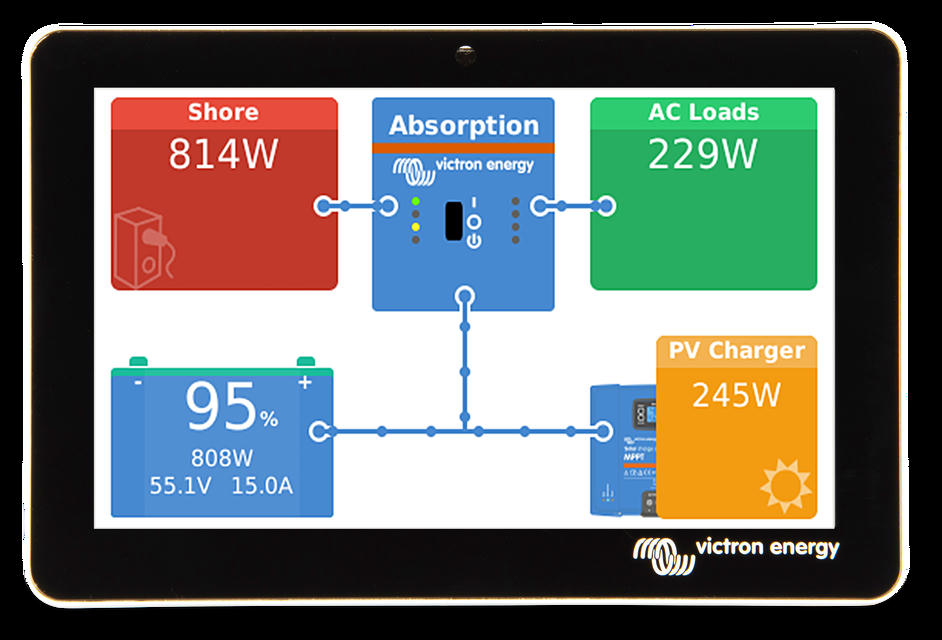
Example GX Touch display with battery, solar, shore power and load readings.

Example display readings; not measurements from your RV.

02 / 08 · The everyday benefit

Less guessing.
More understanding.

A quick look can help answer three everyday questions.

How much battery is left?

See an estimated charge level from a compatible, correctly configured battery monitor.

Is the solar working?

See charging information from connected solar equipment.

What am I using?

See power-use information reported by your connected system.

Available readings depend on the equipment and monitoring installed.

03 / 08 · Follow the flow

See where your
power is going.

Clear labels and connecting lines help make sense of your RV’s electricity.

  • Power coming in from solar or shore power.
  • Power going to the battery and your RV.
Example GX Touch display with battery, solar, shore power and load readings.

Illustrative screen. Layout and readings vary by system and software.

04 / 08 · Choose a useful view

The information
you care about.

Different views offer a quick overview or a closer look at your system.

  • Large indicators make the overview easy to scan.
  • Tank levels or generator information may be available with compatible equipment.
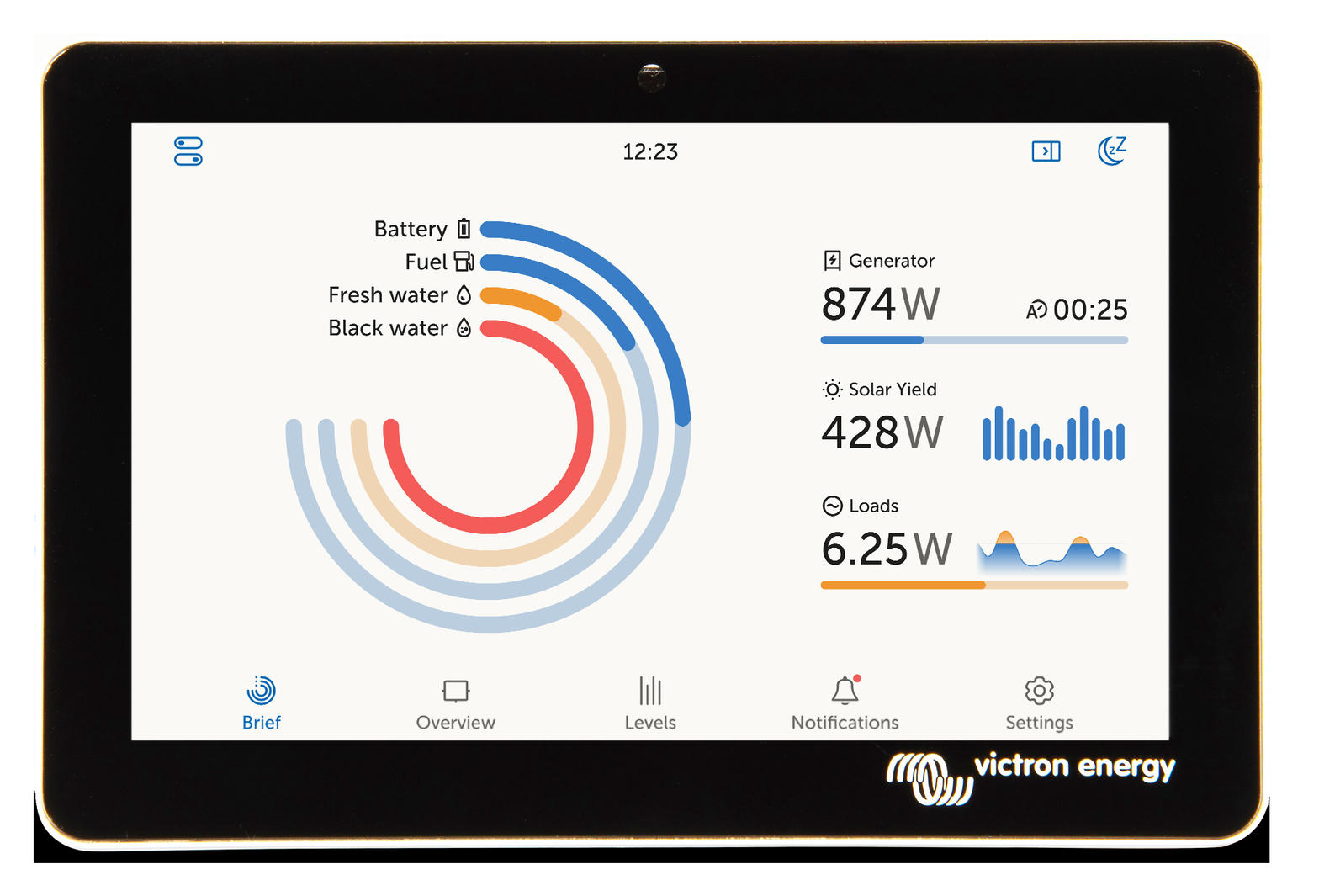
Example GX Touch overview showing large battery and tank indicators.

Illustrative screen. Tank and generator monitoring require suitable connections.

05 / 08 · Two parts, one clear view

A small brain.
A helpful screen.

The Cerbo GX MK2 gathers information. The GX Touch puts it where you can see it.

  • We plan a tidy installation and a comfortable viewing location.
  • Local viewing works without internet; remote access requires an internet connection.
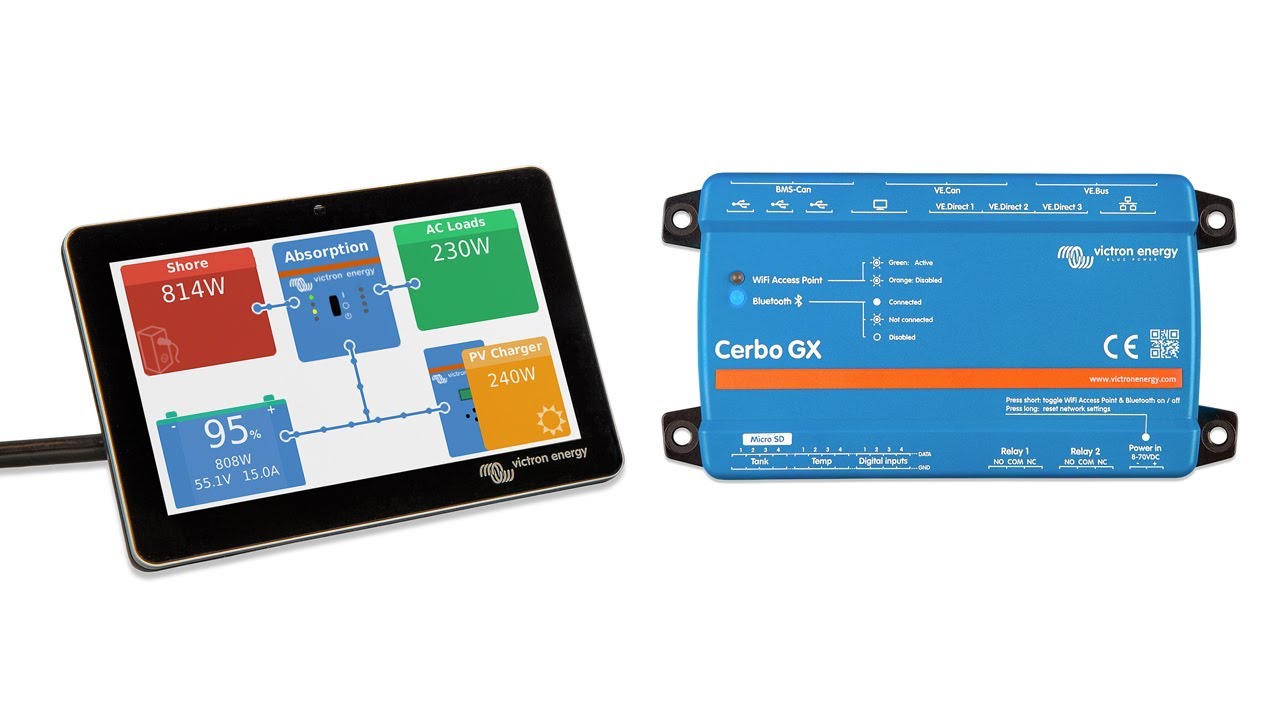
Illustrative GX Touch screen beside a Cerbo GX controller.

Illustrative Cerbo GX and GX Touch hardware. Appearance and connections vary by model.

06 / 08 · Pick your screen

Which size feels
right for you?

Both sizes provide a touchscreen view of the connected system. Choose the one that is comfortable to see and reach.

GX Touch 50 · 5-inch

A compact choice where mounting space is limited.

GX Touch 70 · 7-inch

A larger display when you prefer more screen area.

We will check available space and viewing distance before recommending a size.

07 / 08 · Confidence for the road

Get to know
your own system.

We will walk you through the readings that matter in your RV, using everyday language.

Take a quick look

See battery and charging information without guessing.

Learn what is normal

Understand the readings for your equipment and how you use it.

Ask questions

We will explain what the screen can show—and what your system needs to support it.

Monitoring adds visibility. It does not add battery capacity or solar power.

08 / 08 · Your next step

Let’s make your
RV easier to understand.

We can check compatibility, discuss the screen size, and explain the installation before you decide.

1 · Check your system

Confirm the equipment, connections, and any monitoring components needed.

2 · Choose the location

Pick a screen size and a convenient mounting position.

3 · Show you how

A personal walkthrough after installation.

All Things RV & Solar · Reno / Sparks, Nevada · 775-249-9943

Product details: Victron Cerbo GX and GX Touch. Example images adapted from the supplied presentation. Display details vary by equipment and software.